Resume ExampleAdministrativeMid Level

Administrative Resume Examples & Writing Guide

Use this administrative resume example to write a clear, ATS-friendly resume that shows office support, scheduling, records management, communication, data entry, and daily operations skills.

Experience Level
Mid Level
Category
Administrative
Reader Rating
4.8 / 5
  • Tailor every administrative resume to the job title, office setting, tools, and posting.
  • Use a clean layout that works for both ATS tools and busy hiring teams.
  • Write a summary that shows office support, accuracy, communication, and software readiness.
Resume Example (Text Format)

Avery Morgan

Administrative Coordinator

avery.morgan@email.com | (312) 555-4186 | Chicago, Illinois | linkedin.com/in/avery-morgan-admin

Profile

Administrative coordinator with 4 years of experience supporting office operations, calendar management, document preparation, data entry, and front desk communication. Skilled in Microsoft Office, Google Workspace, Outlook, Excel, meeting coordination, expense reports, and records management. Known for accurate follow-up, clear communication, and keeping daily workflows organized.

Work Experience

Administrative Coordinator, Lakeside Health Partners

Chicago, Illinois | Aug 2021 - Present

  • Coordinate calendars for 5 department leaders, schedule weekly meetings, prepare agendas, and send follow-up notes after each meeting.
  • Maintain vendor, invoice, and patient-facing office records in Excel and SharePoint while checking entries for missing or outdated information.
  • Manage front desk calls, visitor check-ins, supply orders, and document requests while keeping office workflows moving during busy clinic hours.

Office Assistant, Northside Community Services

Chicago, Illinois | 2019 - 2021

  • Answered phone and email questions, routed requests to the correct team members, and updated contact records in the CRM.
  • Prepared letters, scanned documents, filed forms, and organized shared drive folders for faster staff access.
  • Helped process expense forms, meeting room bookings, and weekly office supply requests for a 30-person team.

Education

  • Associate of Applied Science in Business Administration, Harold Washington College | Chicago, Illinois | 2019

Languages

  • Spanish

Certifications

  • Microsoft Office Specialist: Excel Associate | 2024
  • Certified Administrative Professional Coursework | 2023

Skills

  • Calendar management
  • Data entry
  • Microsoft Excel
  • Outlook
  • Google Workspace
  • Records management

A strong administrative resume should show that you can keep an office organized, support busy teams, handle communication, manage records, schedule meetings, and protect details. This is true whether you are writing an entry-level administrative resume, a mid-career administrative resume, or a senior administrative resume for office management or executive support. Employers are not only looking for someone who is friendly and organized. They are looking for someone who can answer questions, track information, prepare documents, update systems, coordinate schedules, and solve small problems before they slow the team down. That is why this administrative resume example focuses on proof. It shows how to turn receptionist work, data entry, customer service, office coordination, executive support, and project administration into clear resume content.

Quick breakdown

Why this administrative resume works

1

It makes the candidate easy to understand in a few seconds: what office work they handle, what tools they use, and how they keep daily operations moving.

2

It uses administrative resume keywords naturally, so the resume can work for ATS tools and still sound clear to hiring managers, office managers, and department leads.

3

It turns routine tasks into proof by showing scheduling volume, document control, data accuracy, inbox triage, meeting support, and cross-team communication.

4

It keeps office software, administrative skills, communication strengths, and measurable support work easy to find instead of hiding them under broad claims like “strong multitasker.”

Fast template guide

What to copy from this administrative resume example

Do not copy the resume word for word. Copy the structure, the section order, and the level of detail. A strong administrative resume example teaches you what to show: office support, scheduling, data entry, records management, software tools, customer communication, document preparation, and follow-through. Your own version should use your real employers, systems, office tasks, tools, and results.

A clear header that names the target administrative role, location, contact details, and professional profile without crowding the top of the page.

A short administrative resume summary that explains office support value, not a vague statement about being organized or dependable.

Office experience written with real proof: calendar support, inbox handling, data entry, records management, vendor coordination, document preparation, and meeting logistics.

Software, systems, and workflow details placed where employers can find them quickly, such as Microsoft Office, Google Workspace, Outlook, Teams, Excel, CRM tools, and document management systems.

Administrative resume skills such as scheduling, correspondence, filing, travel coordination, expense reports, data accuracy, customer service, and process improvement written in plain business language.

Build the right structure

Administrative resume sections to include

A strong administrative resume should include the sections employers expect to scan quickly, plus optional sections that help you prove readiness when your office experience is still growing. The goal is not to add every possible section. The goal is to build a page that lets an employer understand your office support fit, verify your training and software skills, and see the administrative work you can already do.

Must-have sections

  • Contact information
  • Administrative resume summary or objective
  • Administrative, office support, receptionist, coordinator, or customer service experience
  • Education
  • Software, certifications, or office systems
  • Administrative skills

Optional sections that strengthen the resume

  • Office projects
  • Calendar and meeting coordination
  • Travel and expense support
  • Data entry or records management
  • Customer service or front desk experience
  • Process improvement
  • Relevant coursework
  • Professional development
  • Office technology
  • Languages
  • Volunteer administration

An administrative resume should not read like a list of basic office chores. Employers need to see how you support daily operations, protect details, communicate with staff or customers, and keep records accurate. For a new administrative professional, reception work, customer service, data entry, volunteer office support, school office work, or retail coordination can count when you write it with clear admin details. For an experienced candidate, the resume should move faster into calendar management, workflow ownership, reporting, vendor coordination, expense processing, process improvement, and support for managers or teams. The best administrative resume example keeps these sections simple because hiring teams need to scan applications quickly and compare candidates across similar job titles.

Smarter ordering

Best administrative resume section order

The best section order depends on your experience level. A new administrative candidate should not use the same structure as a senior office professional with years of executive support or operations experience. Place your strongest proof where the reader will see it first. For a new candidate, that may be customer service, data entry, office coursework, and software training. For an experienced candidate, it is usually administrative experience, scheduling scope, records accuracy, and workflow support.

Entry-level administrative candidate

  1. Contact information
  2. Administrative resume objective or short summary
  3. Education and relevant coursework
  4. Customer service, reception, data entry, internship, or volunteer office experience
  5. Administrative skills
  6. Software tools, typing speed, or office projects
  7. Professional development or office technology

Experienced administrative professional

  1. Contact information
  2. Administrative resume summary
  3. Administrative experience
  4. Office systems, software, and certifications
  5. Administrative skills
  6. Education
  7. Process improvements, awards, or project support

Career-change administrative candidate

  1. Contact information
  2. Transferable administrative resume summary
  3. Administration-related experience
  4. Transferable experience
  5. Education and software training
  6. Administrative skills
  7. Volunteer office work, projects, or professional development

Put the strongest proof near the top. A new administrative candidate can lead with education, software training, customer service, data entry, and office projects because those details prove readiness. An experienced administrative professional should lead with office operations, scheduling, records accuracy, communication, reporting, and manager support. A career-change candidate should connect past work to administrative duties such as coordination, documentation, customer communication, inventory tracking, billing support, reporting, or team scheduling, then show the software and office skills clearly.

Choose an administrative resume example by experience level

Use this template

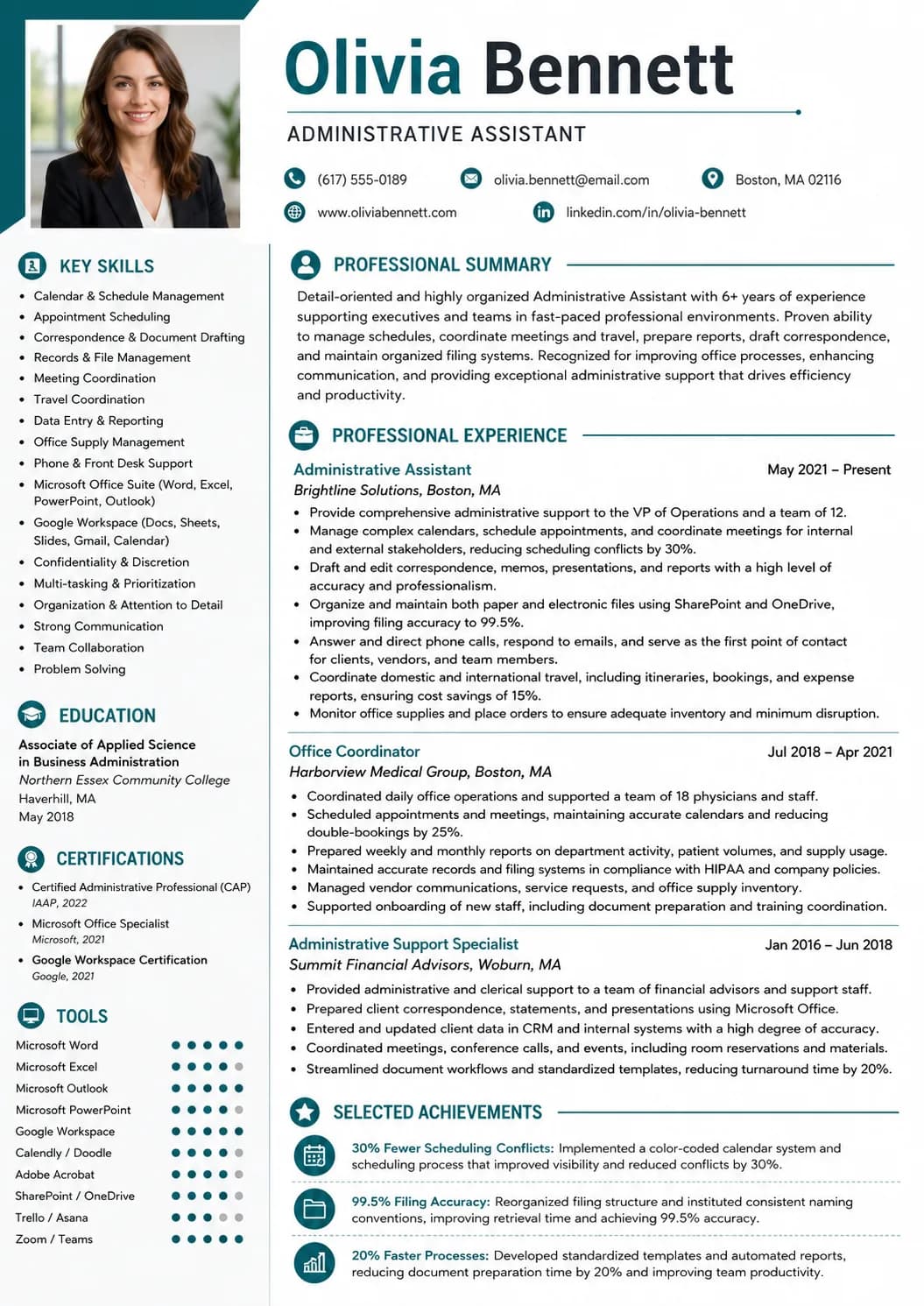
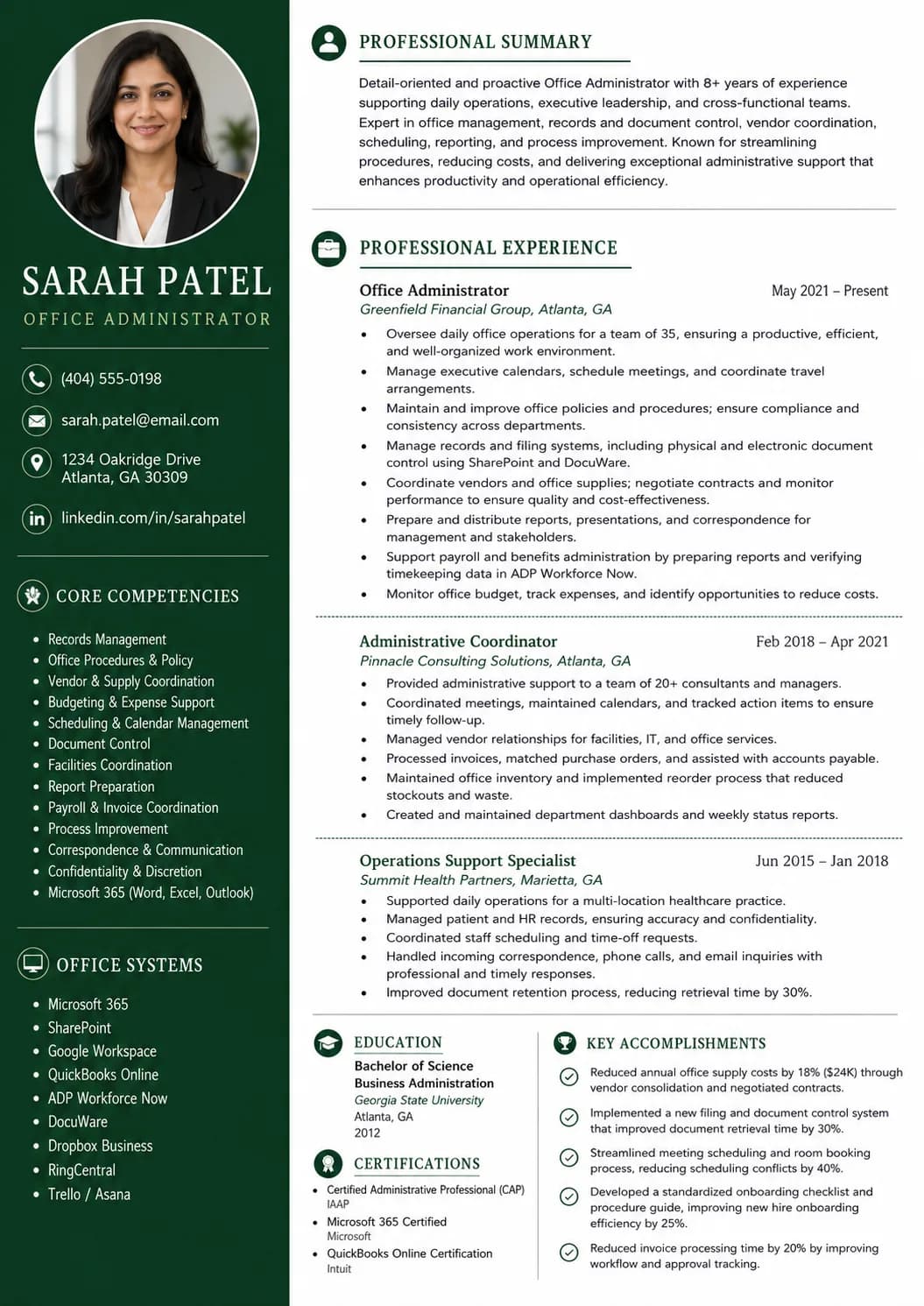
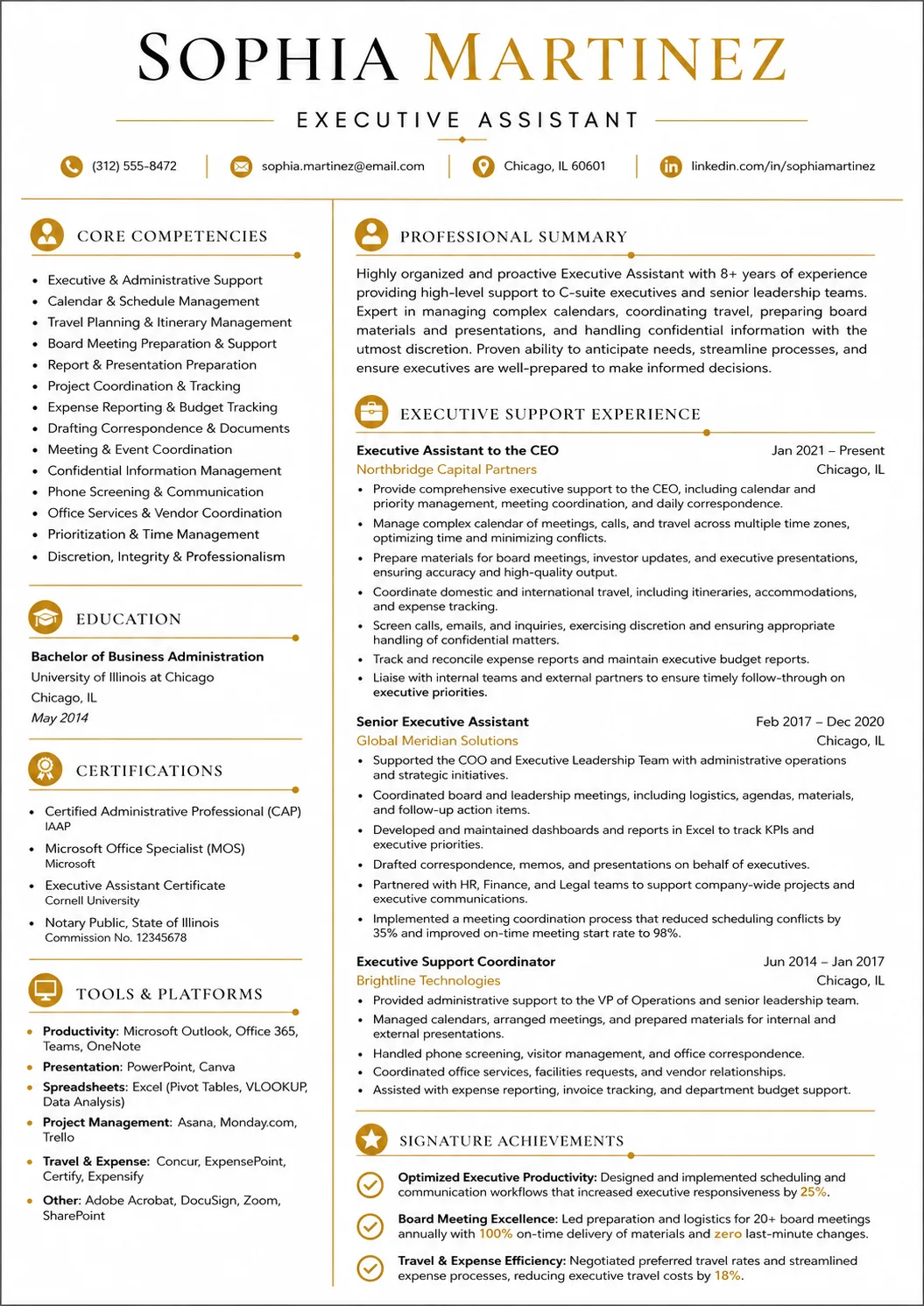
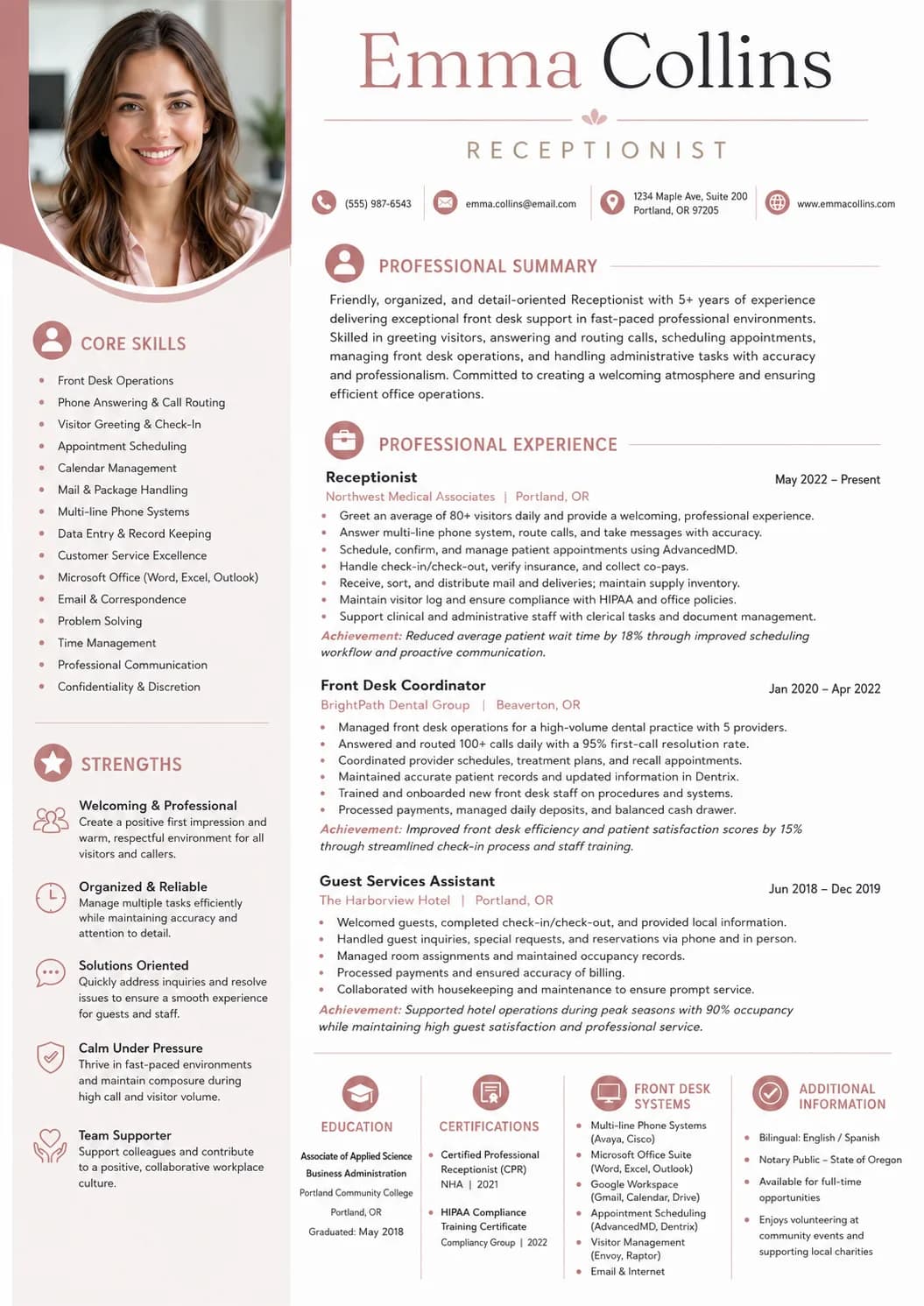
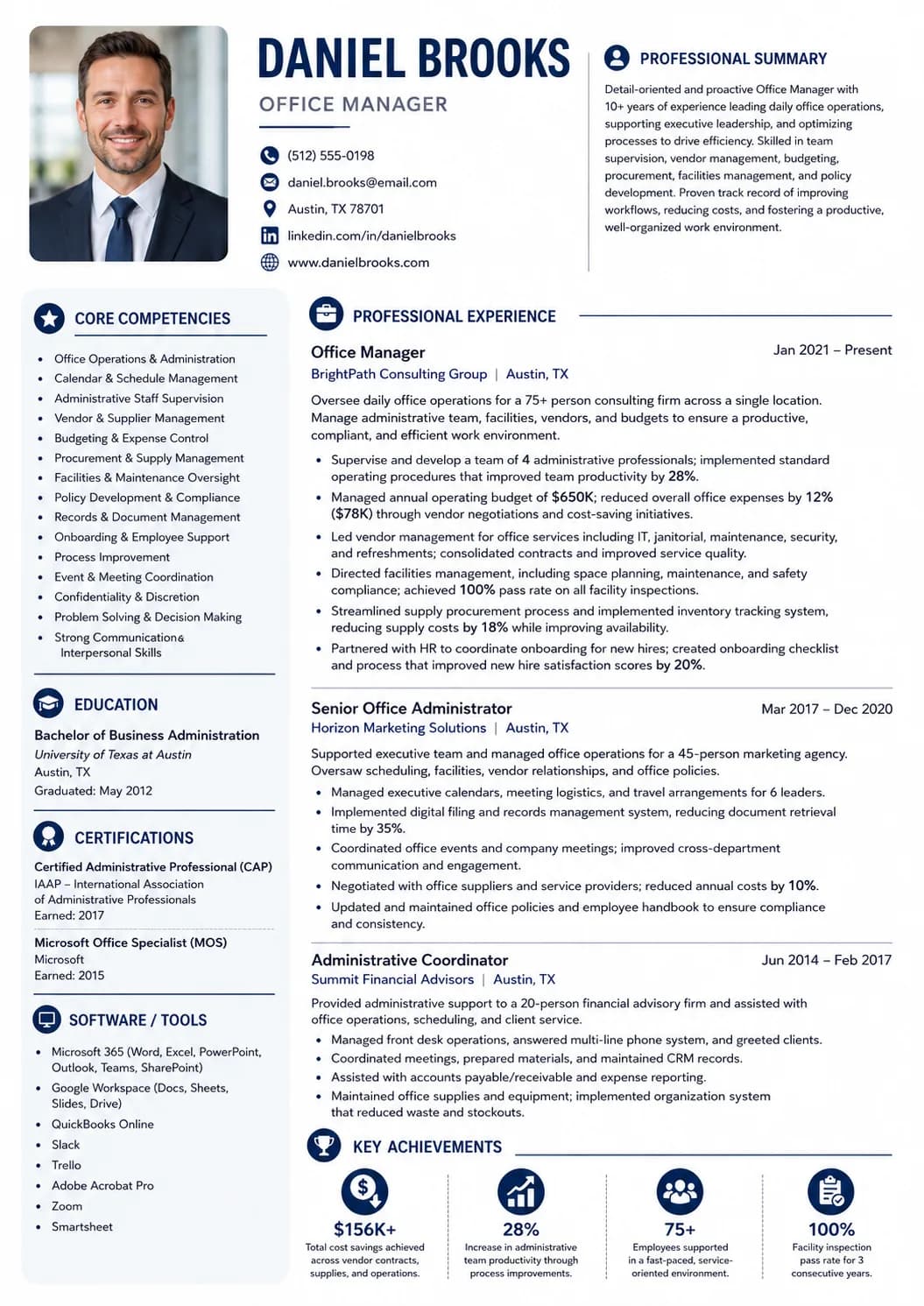
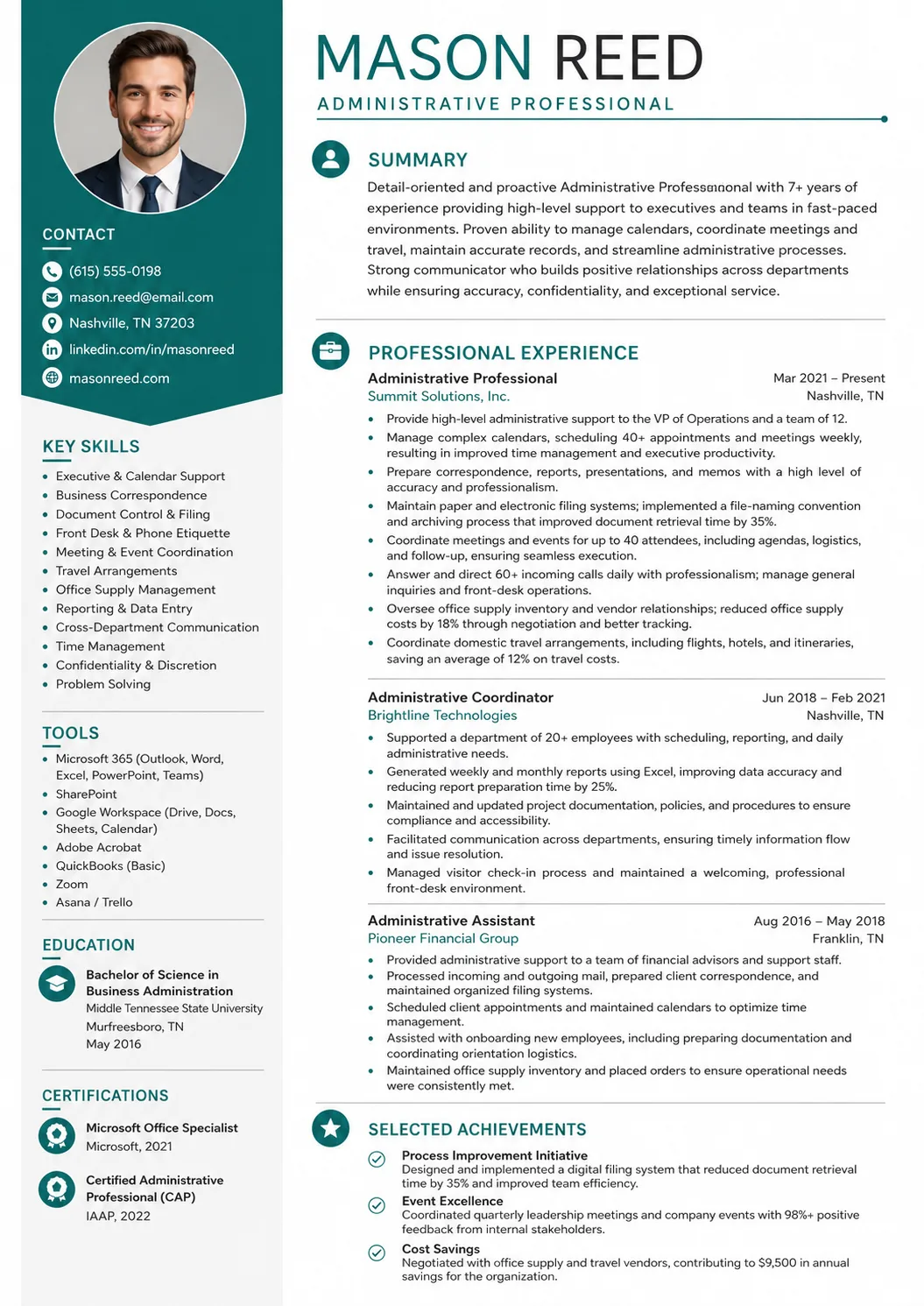
Use this mid-career administrative example to study how calendar ownership, data accuracy, records management, office communication, and daily operations support take priority over basic task lists.

Administrative Resume Playbook

A strong administrative resume should show office support, communication, accuracy, and software skills in a way an employer can understand quickly.

A hiring manager does not read an administrative resume only to see if you are organized. They are scanning for very specific proof. They want to know which office tasks you can handle, which tools you use, how you manage calendars and records, and whether you can communicate clearly with staff, customers, vendors, or executives. They also want to see if you can keep information accurate, protect confidential details, and follow up without being reminded. A good administrative resume example should make all of that easy to see without forcing the reader to dig.

That is why this guide focuses on plain proof, not fancy language. You do not need dramatic wording to write a strong administrative resume. You need specific office details. Reception work, customer service, data entry, scheduling, executive support, office coordination, volunteer administration, and project support can all become strong resume evidence when you connect them to calendar management, records management, document preparation, data accuracy, meeting coordination, customer communication, and software tools. The target keyword for this page is administrative resume example, but the content is written to help a real person build a better resume, not just to repeat a keyword.

  • Turn reception, customer service, data entry, and office support into strong resume proof.
  • Write an administrative resume summary that sounds specific, calm, and useful.
  • Use administrative resume keywords for ATS without stuffing the page.
  • Place software skills, office training, certifications, and key systems where employers can find them quickly.

How to write an administrative resume

A strong administrative resume should make three things clear within a few seconds: what office support you provide, which systems or tools you use, and why a team can trust you with daily operations. That means your resume should show scheduling, communication, data entry, records management, document preparation, customer service, and follow-through. An administrative resume example that only lists duties is weak because many candidates share similar duties. The stronger version explains how you organized calendars, updated records, prepared documents, handled calls, supported managers, and improved the flow of office work.

  1. Read the job posting and highlight the job title, office tools, scheduling needs, customer contact, records duties, and reporting tasks.
  2. Match your summary, skills, and experience bullets to the administrative work the employer cares about most, as long as the match is honest.
  3. Use a clean format with standard headings so ATS tools, recruiters, and hiring managers can scan the resume quickly.

What employers look for first

Most employers look for proof that you can keep the office running. They want to see calendar management, email support, data entry, document preparation, records management, customer service, and software confidence. In simple terms, they want to know that you can receive information, organize it correctly, send it to the right person, and follow through. For an administrative resume, this proof should appear in the summary, skills, experience bullets, education, and certifications. Do not leave your best office details trapped inside one section. Spread them naturally across the page so both ATS tools and human readers can see them.

High-priority proof points

  • Calendar management and meeting coordination
  • Data entry, records management, and document control
  • Phone, email, visitor, customer, and vendor communication
  • Microsoft Office, Excel, Outlook, Google Workspace, or CRM tools
  • Expense reports, invoices, supplies, travel, or office workflow support

Good proof for new administrative candidates

  • Reception, customer service, retail, hospitality, or call center work
  • Internships, volunteer office work, club administration, or event support
  • Spreadsheet projects, document formatting, presentations, or reports
  • Appointment scheduling, order tracking, inventory updates, or file organization
  • Typing, Microsoft Office, Google Workspace, or business communication training

Writing for both ATS and human readers

Many employers and staffing agencies collect applications through online systems. Those systems may parse your resume, and the people reading the resume may also search for clear terms from the job posting. This is why an ATS-friendly administrative resume should use normal office language: calendar management, data entry, records management, document preparation, meeting coordination, expense reports, Microsoft Excel, Outlook, Google Workspace, CRM, customer service, vendor coordination, travel arrangements, and office administration. The goal is not to trick the system. The goal is to describe your real background with the same words employers use when they hire administrative staff.

Statistical Insight

If your resume says only that you are organized, reliable, or a strong multitasker, the reader still does not know what you can do. A better administrative resume shows the work behind those qualities. Instead of saying you are organized, show calendar control, filing systems, clean spreadsheets, supply logs, or meeting agendas. Instead of saying you communicate well, show phone coverage, customer follow-up, email triage, vendor coordination, or executive updates. The best administrative resume example turns soft claims into office actions.

Start with one strong master resume, then adjust it for each employer. An administrative assistant resume, office administrator resume, receptionist resume, executive assistant resume, data entry resume, and office coordinator resume should not all sound the same. The core structure can stay similar, but the wording should change based on the office setting, systems used, level of responsibility, and support needs. Read the posting first, mark the repeated terms, and decide which parts of your background match honestly. Then update your summary, skills, and bullets so the employer sees fit right away.

  1. Use the posting’s wording for calendars, data entry, records, customer service, reporting, software, and office support when it matches your experience.
  2. Use action words such as coordinated, scheduled, prepared, updated, organized, processed, tracked, routed, supported, documented, and improved.

A good administrative resume is not a long list of every task you have ever done. It is a focused document that helps an employer answer one question: can this person keep our office work accurate, organized, and on time? Keep the resume clear, use action words, include numbers where they are true, and connect your work to office flow. For example, number of managers supported, meeting volume, call volume, records updated, reports prepared, invoices processed, or systems used can all make a bullet stronger. These details are simple, but they make the resume feel real.

Choosing the best administrative resume format and template

The best administrative resume format is clean, simple, and easy to read. Administrative work is detail-focused, so the resume itself should show good organization. An employer may have hundreds of applications, so your layout should help the reader find your summary, experience, education, software, certifications, and skills without effort. For most administrative professionals, reverse-chronological order is the safest choice because it highlights recent office work first. If you are new to administration, you can still use that format while placing education, office training, customer service, data entry, or volunteer administration higher so your strongest proof is not buried.

For the ATS

  • Use standard headings such as Summary, Experience, Education, Certifications, Software, and Skills.
  • Save the final resume as a PDF when the employer allows it, or follow the portal instructions exactly.
  • Spell out important office tools, systems, job titles, and support functions at least once.

For recruiters and hiring managers

  • Leave enough white space so the page does not feel crowded.
  • Keep dates, company names, job titles, tools, and locations easy to find.
  • Choose a professional template that supports your writing instead of distracting from it.
Do

Use reverse-chronological order when you have administrative experience because your most recent office work usually matters most.

Keep the layout straightforward so a reader can find your tools, support scope, strongest experience, and key skills quickly.

Don't

Do not use tables, charts, text boxes, heavy graphics, or unusual fonts that can make the resume harder to read.

Do not stretch an administrative resume beyond two pages unless the role clearly asks for a detailed portfolio or long project history.

Picking the right administrative resume template

Most administrative candidates move faster with a tested resume template. Pick one that keeps the summary near the top, gives enough room for office support bullets, and makes software skills easy to spot. Avoid templates that use tiny fonts, heavy icons, complex columns, or design elements that take attention away from your administrative proof. An administrative resume template should support the content, not compete with it. The best template for an administrative resume example is usually modern, simple, and ATS-friendly, with clear headings and enough white space for quick scanning.

Browse our resume templates or open the resume builder when you are ready to turn this administrative resume example into your own finished draft. Start with the structure, then replace every sentence with your real office experience, systems, support scope, software details, and administrative resume skills.

Administrative resume summary example: show office support fast

The administrative resume summary is the short paragraph at the top of the page. It should show office support fast. A strong summary names the role or experience level, the office setting or support type, and the administrative strengths that matter most for the job. It can also mention software, records management, scheduling, data entry, customer service, expense reports, or years of experience when those details help. Keep it short enough to scan, but specific enough that it does not sound like every other administrative resume.

The main goals of the summary

  • Name the administrative role, office setting, team, or support level you fit best.
  • Highlight the office skills and tools that matter most for the job.

Keep the tone professional and specific. Strong administrative resume summaries use real office language, not broad claims about being organized or hardworking. A new candidate might lead with customer service, reception, data entry, and Microsoft Office. A mid-career candidate might lead with calendar management, records management, meeting coordination, and expense reports. A senior candidate might lead with executive support, workflow improvement, vendor coordination, confidential records, and office systems. The summary should match the level of the candidate.

  • For a new administrative candidate, mention customer service, reception, data entry, office coursework, or software training.
  • For an experienced administrative professional, mention years of experience, office setting, support scope, systems, and workflow results.
  • For a career changer, connect past coordination, communication, records, scheduling, reporting, or customer support to administrative work.
Expert Tip

Skip empty phrases like “detail-oriented professional,” “works well under pressure,” or “excellent multitasker” when they stand alone. Employers expect accuracy and reliability. Use the limited space to explain what you do in the office. A better summary says that you are an administrative coordinator with calendar management, records management, Excel, Outlook, and vendor communication experience, or an office assistant with front desk, data entry, and document preparation skills. This kind of wording helps both ATS tools and real hiring teams.

A simple formula works well: role or experience level + office setting or support type + top administrative skills + business value. For example, an entry-level administrative resume summary can say that the candidate has reception and customer service experience, with skills in phone support, data entry, appointment scheduling, and Microsoft Office. A senior administrative resume summary can mention executive support, travel coordination, expense reporting, confidential records, and process documentation. The formula keeps the summary clear without sounding robotic.

When the posting uses clear language, mirror it. If the job asks for calendar management, write calendar management instead of schedule support. If it asks for data entry, use that exact phrase when it matches your work. If it asks for Microsoft Excel, Google Workspace, CRM updates, expense reports, meeting coordination, or customer service, include those terms only if you can support them with real experience. This is how you write for ATS without stuffing keywords. The resume still sounds natural because the words are connected to your real office story.

Adaptable resume summary example

Administrative coordinator with 4 years of experience supporting office operations, calendar management, document preparation, data entry, and front desk communication. Skilled in Microsoft Office, Google Workspace, Outlook, Excel, meeting coordination, expense reports, and records management. Known for accurate follow-up, clear communication, and keeping daily workflows organized.

Administrative experience resume example: prove office work clearly

The experience section is where your administrative resume becomes believable. It should prove that you can support people, records, schedules, and systems in real settings. For new candidates, this can include reception, customer service, retail, hospitality, call center work, volunteer administration, internships, event support, or school office projects. For experienced administrative professionals, it should show stronger ownership of calendars, files, documents, meeting logistics, data accuracy, expense reports, vendor communication, and office workflow. For senior administrative professionals, it should also show executive support, confidentiality, process improvement, onboarding support, or training other staff. The title matters, but the office work behind the title matters more.

Statistical Insight

Employers care about the work behind the title. If you scheduled meetings, updated records, prepared documents, routed calls, processed expense reports, created spreadsheets, coordinated vendors, supported managers, or improved a filing system, that experience counts. The key is to write it clearly. A bullet like “did office work” is too thin. A stronger bullet says “coordinated calendars for 4 managers, prepared weekly agendas, and sent meeting reminders that reduced last-minute rescheduling.” The second version gives scope, task, and result.

Use reverse-chronological order so your most recent and most relevant experience appears first. For each role, include the position title, company or organization, location, dates, and short bullets. Start each bullet with an administrative action such as coordinated, scheduled, prepared, updated, organized, processed, routed, tracked, supported, documented, or improved. Then add office context. Good context includes number of managers supported, call volume, meeting volume, systems used, records handled, reports prepared, invoices processed, or departments served. Numbers can help, but only use them when they are true.

  • Position title
  • Company, office, department, or organization name
  • Location and dates
  • Office tools, systems, managers, customers, vendors, or departments you supported
  • Short bullets that show what you scheduled, organized, updated, processed, or improved

The best administrative resume bullets use clear office actions. Instead of saying handled admin tasks, explain what tasks you handled. Instead of saying managed a calendar, explain whose calendar, how many meetings, and what follow-up you provided. Instead of saying improved organization, explain the filing system, spreadsheet, tracker, template, or workflow that changed. An administrative resume example should not make the candidate sound bigger than the truth. It should make the truth easy to understand. That is what makes the experience section credible.

Adaptable resume employment history example

Administrative Coordinator, Lakeside Health Partners

Chicago, Illinois | Aug 2021 - Present

  • Coordinate calendars for 5 department leaders, schedule weekly meetings, prepare agendas, and send follow-up notes after each meeting.
  • Maintain vendor, invoice, and patient-facing office records in Excel and SharePoint while checking entries for missing or outdated information.
  • Manage front desk calls, visitor check-ins, supply orders, and document requests while keeping office workflows moving during busy clinic hours.

Office Assistant, Northside Community Services

Chicago, Illinois | 2019 - 2021

  • Answered phone and email questions, routed requests to the correct team members, and updated contact records in the CRM.
  • Prepared letters, scanned documents, filed forms, and organized shared drive folders for faster staff access.
  • Helped process expense forms, meeting room bookings, and weekly office supply requests for a 30-person team.

Administrative skills section example: show how you keep work moving

The administrative skills section should reflect daily office work. It should help a recruiter, office manager, department lead, or ATS tool see that you can schedule, communicate, organize, update, process, and follow through. Good administrative resume skills are not random personality words. They are skills connected to actual office support: calendar management, data entry, records management, Microsoft Excel, Outlook, Google Workspace, meeting coordination, document preparation, expense reports, customer service, vendor communication, and office administration.

Keep a longer master list outside your resume, then choose the skills that fit each job posting. A good administrative resume does not need every skill you have. It needs the skills that match the office setting, support level, software tools, and communication needs in the job description. For example, an administrative assistant may highlight scheduling, data entry, email management, and document preparation. An executive assistant may highlight calendar ownership, travel coordination, expense reports, and confidential communication. An office administrator may highlight vendor management, records systems, supplies, reporting, and process improvement.

Statistical Insight

Employers often prioritize skill groups such as:

  • Calendar management, scheduling, meeting support, and travel coordination
  • Data entry, records management, spreadsheets, and document control
  • Phone, email, visitor, customer, vendor, and team communication
  • Microsoft Office, Excel, Outlook, Google Workspace, Teams, CRM, or QuickBooks
  • Expense reports, invoices, supplies, reporting, and office workflow support

A strong administrative skills section mixes office tools with communication and accuracy skills. Do not separate skills in a way that makes the page confusing. Group them if your template allows it, or list the most important ones first. The most useful administrative resume skills are usually the ones that also appear in your experience bullets. If you list calendar management, show a bullet where you scheduled meetings or supported managers. If you list data entry, show a bullet where you updated records and checked accuracy. This makes your skills believable instead of decorative.

Adaptable resume skills section example
  • Calendar management
  • Data entry
  • Microsoft Excel
  • Outlook
  • Google Workspace
  • Records management

Education resume example: keep training and software skills easy to find

Education matters on an administrative resume because employers often want to verify basic business, office, or communication training. For an entry-level administrative resume, education may sit near the top because it can show readiness. Include your degree, diploma, certificate, college, location, graduation date, major, coursework, or office projects when those details help. Relevant coursework can include business communication, computer applications, bookkeeping, office procedures, records management, spreadsheet tools, project coordination, or customer service. If you are still completing a certificate or course, write the expected date clearly.

Once you have more administrative experience, your office results may lead the page. But education, certifications, and software skills still need to be easy to find. This is especially important for roles that ask for Microsoft Office, Excel, QuickBooks, CRM tools, office administration certificates, or business training. Use exact wording for tools, certificates, and training when possible. A small wording mistake can create confusion, while clear wording helps both ATS tools and hiring teams confirm that you meet the role requirements.

Adaptable resume education example
  • Associate of Applied Science in Business Administration, Harold Washington College | Chicago, Illinois | 2019

Office certifications and software training

Employers should be able to spot useful office training right away. Include office administration certificates, Microsoft Office Specialist credentials, Excel training, Google Workspace training, bookkeeping certificates, typing tests, project coordination training, customer service training, data entry training, or any other credential that supports the job. If the role requires a certain software tool, place it near the top of the resume or in a dedicated skills or certifications section. If you are completing training, say that clearly and include the expected completion date when you have one.

  • Microsoft Office Specialist: Excel Associate | 2024
  • Certified Administrative Professional Coursework | 2023

Before applying, make sure your certification wording, software names, and training status match the posting. This matters for both ATS tools and human readers. If the employer asks for Microsoft Excel, Outlook, Teams, Google Workspace, QuickBooks, Salesforce, CRM updates, bookkeeping support, or office administration training, use the exact wording that fits your background. Do not exaggerate. Clear software and certification wording builds trust, and trust is one of the most important parts of an administrative resume.

Adaptable resume certifications example
  • Microsoft Office Specialist: Excel Associate | 2024
  • Certified Administrative Professional Coursework | 2023

Bullet upgrade

Weak vs strong administrative resume bullets

Use the stronger version as the model: start with a clear action, add office context, and include the detail or result that proves the work mattered. Administrative resume bullets should show what you organized, who you supported, which tools you used, how you protected accuracy, and how your work helped the office run better.

Weak

Answered phones and did office work.

Stronger

Managed a 10-line phone system, routed calls to the right departments, logged visitor questions, and updated appointment notes in the office calendar before each shift handoff.

The stronger bullet adds tools, volume, process, and follow-through. It shows the candidate can handle front office communication without making the reader guess.

Weak

Helped with scheduling.

Stronger

Coordinated calendars for 4 managers, scheduled weekly client meetings, prepared agendas, and sent reminder emails that reduced last-minute rescheduling.

This version shows scope, stakeholders, meeting support, and a practical result. It is much stronger than a broad scheduling claim.

Weak

Entered data into spreadsheets.

Stronger

Updated vendor, invoice, and customer records in Excel and QuickBooks, checked entries against source documents, and flagged missing information before month-end review.

The stronger version explains what data was handled, which tools were used, and how the candidate protected accuracy.

ATS keyword bank

Administrative resume keywords for ATS

Employers, staffing agencies, and applicant tracking systems often scan for exact role language. Use these administrative resume keywords only when they honestly match your background. Good keywords are not magic words. They are normal office terms that help the employer understand your fit: calendar management, data entry, records management, Microsoft Excel, document preparation, meeting coordination, expense reports, customer service, and office administration.

Calendar managementData entryMicrosoft ExcelOffice administrationRecords managementMeeting coordinationExpense reportsCustomer serviceDocument preparationGoogle Workspace

Use administrative resume keywords only when they match your real background. Do not stuff the page with the same phrase again and again. The safest method is to mirror the posting language for job title, office tools, calendar support, data entry, records management, customer service, reporting, and communication needs, then place those words naturally in your summary, skills, software list, and experience bullets.

Matching application

Administrative cover letter tips

Pair this resume with a short administrative cover letter that explains why you fit the office, what support proof matters most, and how your work style helps the team stay organized. Do not repeat the whole resume. Use the cover letter to connect one or two resume details to the employer’s needs.

Name the administrative role, department, office setting, or support level you are targeting in the first paragraph.

Connect one strong resume example to calendar management, data accuracy, records control, customer communication, or document preparation.

Explain how your administrative style helps the office instead of repeating your administrative resume summary.

Final review

Administrative resume checklist before applying

Before you send your administrative resume, review it against the job posting one last time. Look for missing job-title terms, software names, scheduling language, data entry details, records management needs, customer service requirements, and communication duties. Small changes can make the resume easier to read and more relevant.

  • Did you name the exact administrative role, such as Administrative Assistant, Office Administrator, Administrative Coordinator, Receptionist, or Office Assistant?
  • Did you list the office tools, systems, and software from the posting when you truly use them?
  • Did your administrative resume summary match the job posting instead of sounding generic?
  • Did you include honest ATS keywords from the posting, such as calendar management, data entry, records management, or expense reports?
  • Did your experience bullets show administrative actions, accuracy, communication, scheduling, and follow-through?
  • Did you mention tools such as Microsoft Excel, Outlook, Teams, Google Workspace, QuickBooks, Salesforce, or other platforms only if you use them?
  • Is the layout simple enough for an ATS and easy for a hiring manager to scan in less than one minute?
  • Did you save the resume as a PDF unless the employer, staffing agency, or application portal asks for another file type?

Before applying, read the administrative job posting one more time and compare it with your resume. Look for repeated words about scheduling, calendars, phones, email, records, customer service, data entry, reporting, invoices, travel, meetings, office supplies, and software. A strong administrative resume example is not copied word for word. It is tailored so the employer can see why your background fits this exact office support role.

Before You Start Writing

Key takeaways

  • Tailor each administrative resume to the job title, office setting, tools, and posting.
  • Use a clean, ATS-friendly layout that is easy to scan.
  • Write a summary that shows office support value instead of generic organization claims.
  • Use reception, customer service, data entry, internship, or volunteer office work as proof when you are early in your career.
  • Balance administrative skills, software tools, communication, records accuracy, and scheduling support.
  • Make education, office training, certifications, and software skills easy to verify.

Ready to build

Build your administrative resume with the same structure

Start with this administrative resume example, then build a matching cover letter that speaks directly to the office, department, manager, or support role you want. The builder can help you turn the structure into a clean resume faster, but your real office support proof is what makes the application strong.